
Example Applications
All example applications are available in our Examples Repository. Here's a list of featured examples:
Basic examples
Getting Started
GitHub repo | Open in StackBlitz
A minimal Vite application demonstrating the basic usage of SQLRooms. Features include:
- Sets up an app store and a single main panel using SQLRooms' project builder utilities
- Loads a CSV file of California earthquakes as a data source
- Runs a SQL query in the browser (DuckDB WASM) to show summary statistics
- Simple UI with loading, error, and result states
To create a new project from the get-started example run this:
npx giget gh:sqlrooms/examples/get-started my-new-app/SQL Query Editor
Try live | GitHub repo | Open in StackBlitz
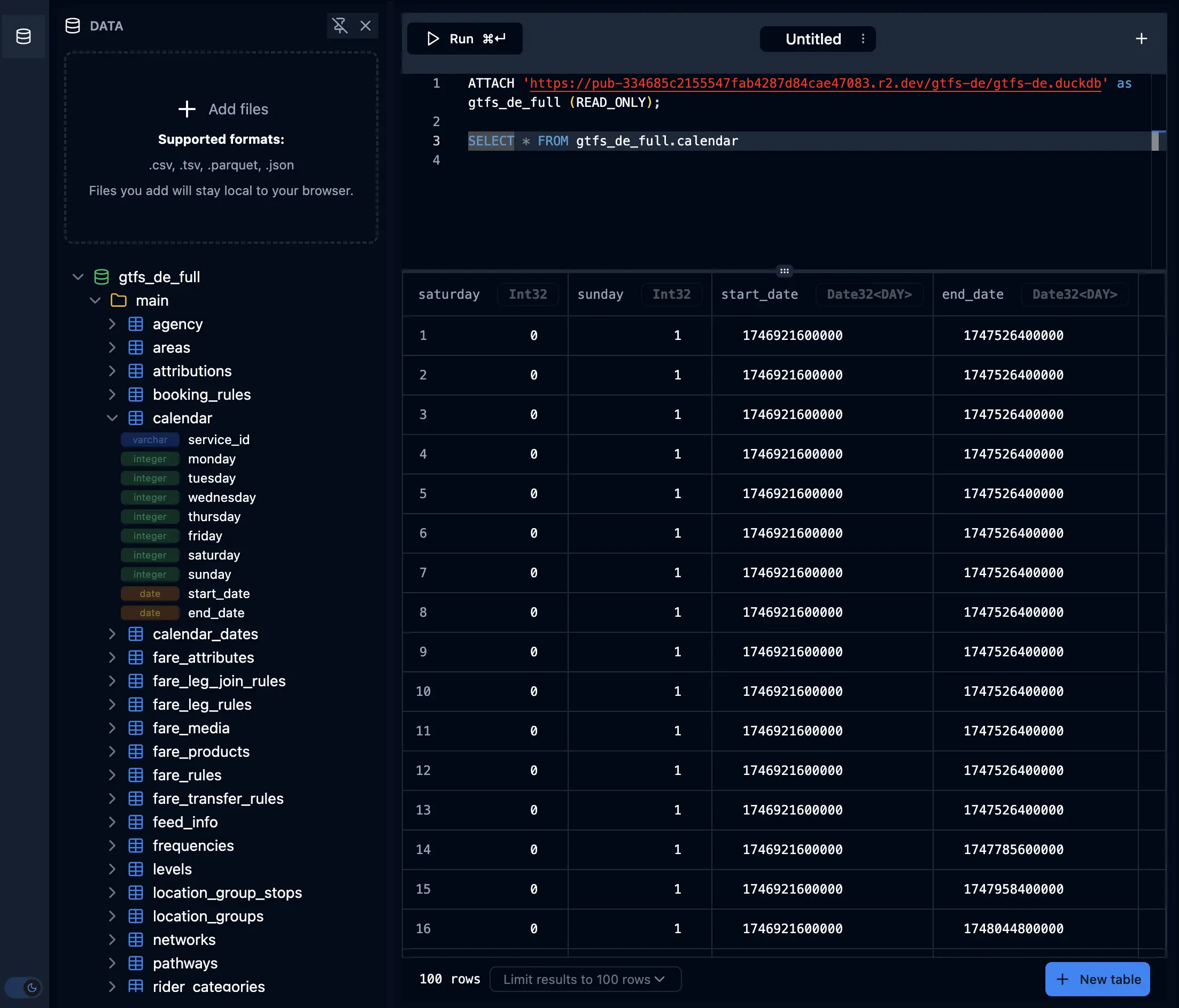
A comprehensive SQL query editor demonstrating SQLRooms' DuckDB integration. Features include:
- Interactive SQL editor with syntax highlighting
- File dropzone for adding data tables to DuckDB
- Schema tree for browsing database tables and columns
- Tabbed interface for working with multiple queries
- Query execution with results data table
- Support for query cancellation
- There is a version of the example with offline functionality which supports Progressive Web App (PWA) features, persistent database storage with OPFS, and state persistence via local storage
To create a new project from the query example run this:
npx giget gh:sqlrooms/examples/query my-new-app/Running locally
npm install
npm run dev
Layout
An app demonstrating collapsible panels, custom tab strips, and dynamically created dock and grid dashboards. Start with the Layout developer guide for configuration examples and links to the layout APIs.
Multi-Room
A multi-room application demonstrating how to manage multiple independent data workspaces with proper room store lifecycle management and the powerful new Sidebar component pattern. Features include:
- TanStack Router with room list (
/) and room detail (/room/:id) pages - Team-style room switcher in the Sidebar header with icon-collapsible navigation
- Sidebar groups for platform navigation and live table schema tree exploration
- Pre-seeded with two sample rooms: Earthquakes and BIXI bike locations
- Paginated data table preview using
QueryDataTable - Persistent storage for room configs in local storage
- Room CRUD operations (create, rename, delete)
- Proper store initialization and destruction on room navigation
To create a new project from the query example run this:
npx giget gh:sqlrooms/examples/multi-room my-new-app/Running locally
pnpm install
pnpm dev
AI Assistant
AI-Powered Analytics
Try live | GitHub repo | Open in StackBlitz
An advanced example showing how to build an AI-powered analytics application with SQLRooms. Features include:
- Natural language data exploration
- AI-driven data analysis
- Integration with SQLRooms AI assistant
- Custom visualization components
- Room state persistence
To create a new project from the AI example run this:
npx giget gh:sqlrooms/examples/ai my-new-app/Running locally
npm install
npm run dev
AI App Builder
GitHub repo | Open in StackBlitz
A SQLRooms app that builds SQLRooms apps—demonstrating recursive bootstrapping. The outer app runs an AI assistant on the left and a code editor in the middle, while the right third hosts the inner app which compiles on the fly and executes in a browser-based virtual environment powered by StackBlitz WebContainer.
Features:
- AI-assisted app generation via SQLRooms AI assistant
- Live code editing with instant preview
- In-browser compilation and execution (no server required, except for the model)
- Recursive bootstrapping pattern
To create a new project from this example:
npx giget gh:sqlrooms/examples/app-builder my-new-app/Running locally
npm install
npm run dev
Geospatial
Deck.gl + Mosaic
Try live | GitHub repo | Open in StackBlitz
This example is based on the original demo app by Gjore Milevski.
An example showcasing integration with deck.gl and the UWData Mosaic package for performant cross-filtering, now routed through @sqlrooms/deck.
The architecture uses Mosaic’s global Coordinator to manage state between linked views using SQL predicates. The map spec stays separate from the data, the current Mosaic-filtered Arrow result is passed into DeckJsonMap, and multiple JSON layers reuse that same prepared dataset instead of maintaining a local GeoArrow bridge utility.
To create a new project from the deckgl-mosaic example run this:
npx giget gh:sqlrooms/examples/deckgl-mosaic my-new-app/Running locally
npm install
npm run dev
Mosaic + DataFusion-WASM + Zarr
This example ports Gjore Milevski's mosaic-datafusion-zarr-deckgl experiment (read the original write-up) into the SQLRooms shell, alongside the Deck.gl + Mosaic example it is structurally closest to.
ECMWF IFS ENS temperature is streamed client-side from a public Zarr store (dynamical.org) with zarrita, queried with DataFusion compiled to WASM through a Mosaic crossfilter, and rendered with @developmentseed/deck.gl-zarr.
This room is hand-composed from the base room, layout, Mosaic, and forecast slices. It does not include SQLRooms' DuckDB slice, so loading the example does not initialize or download DuckDB-WASM. Its full query path is:
Mosaic clients → supplied Mosaic Coordinator → DataFusion connector → DataFusion-WASMThe DataFusion-WASM wrapper's query({type, sql}) method already matches Mosaic's Connector interface. It returns flechette tables directly because that is what DataFusion's Arrow IPC output decodes into, so the wrapper is handed to the supplied Coordinator as-is. Room shell chrome (sidebar, theme, layout panels), the map, the raster shaders, and the crossfilter hooks are otherwise unchanged from the source app.
Because the Coordinator can only be built once the DataFusion tables exist (which needs the first streamed Zarr chunk), the room store here is not a static module export like other examples' store.ts; it's built by createForecastRoomStore(lab) once boot finishes, see src/App.tsx.
The DataFusion-WASM bindings ship with execute_ipc, register_ipc and materialize_table, which the published upstream package doesn't have, so this example depends on @dzole0311/datafusion-wasm, a patched build published from dzole0311/datafusion-wasm-bindings (a fork of datafusion-contrib/datafusion-wasm-bindings).
Running locally
Build the workspace packages first, then run this example:
pnpm build
pnpm dev deckgl-mosaic-datafusion-example
Kepler.gl Geospatial Visualization
Try live | GitHub repo | Open in StackBlitz
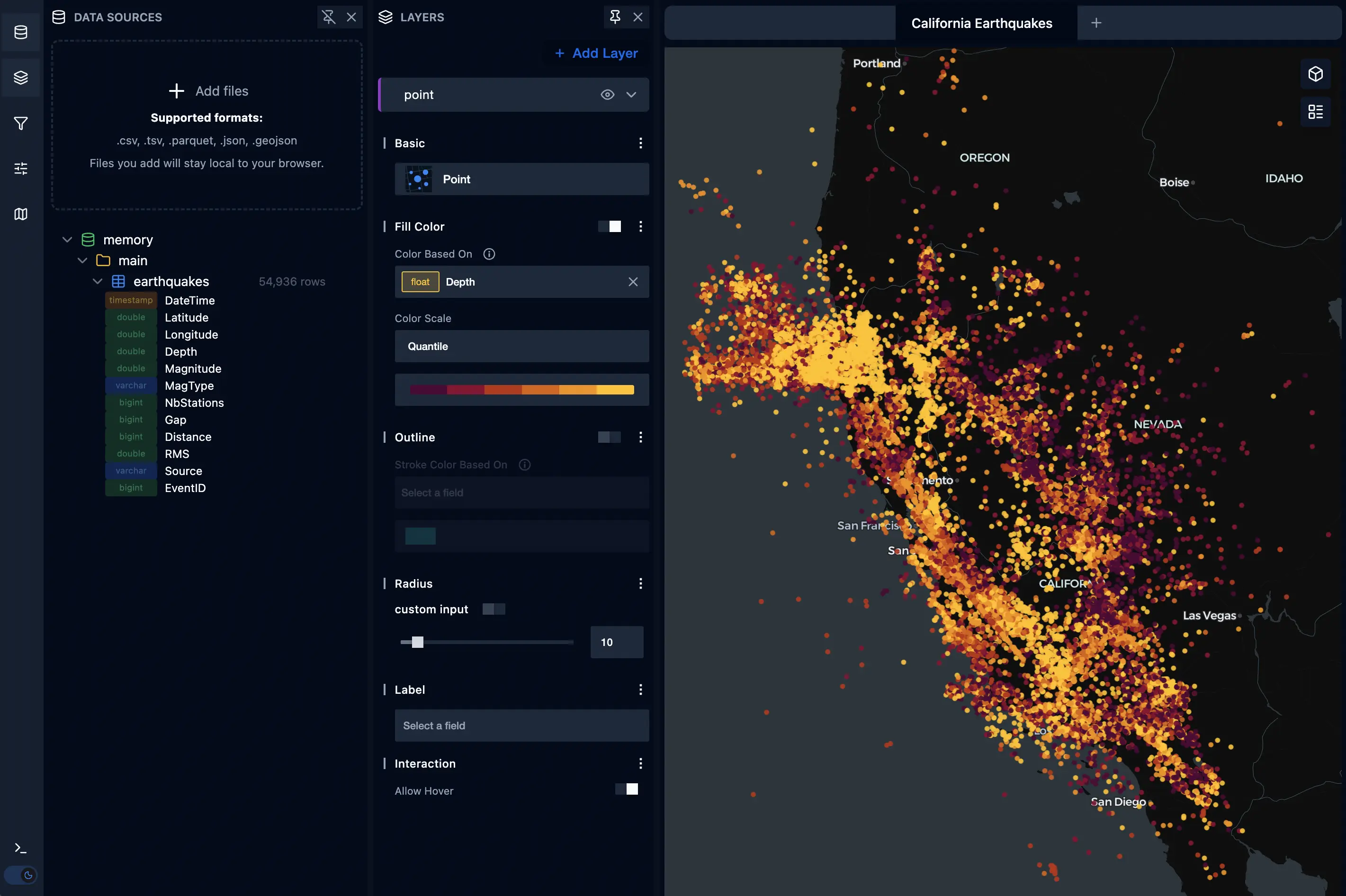
An example demonstrating Kepler.gl integration for geospatial data visualization. Features include:
- Load earthquakes dataset into DuckDB
- Add data as a Kepler layer for map visualization
- Interactive map controls and filtering
- Rich styling options for geospatial layers
To create a new project from the kepler example run this:
npx giget gh:sqlrooms/examples/kepler my-new-app/Running locally
npm install
npm dev
Deck.gl Geospatial Visualization
Try live | GitHub repo | Open in StackBlitz
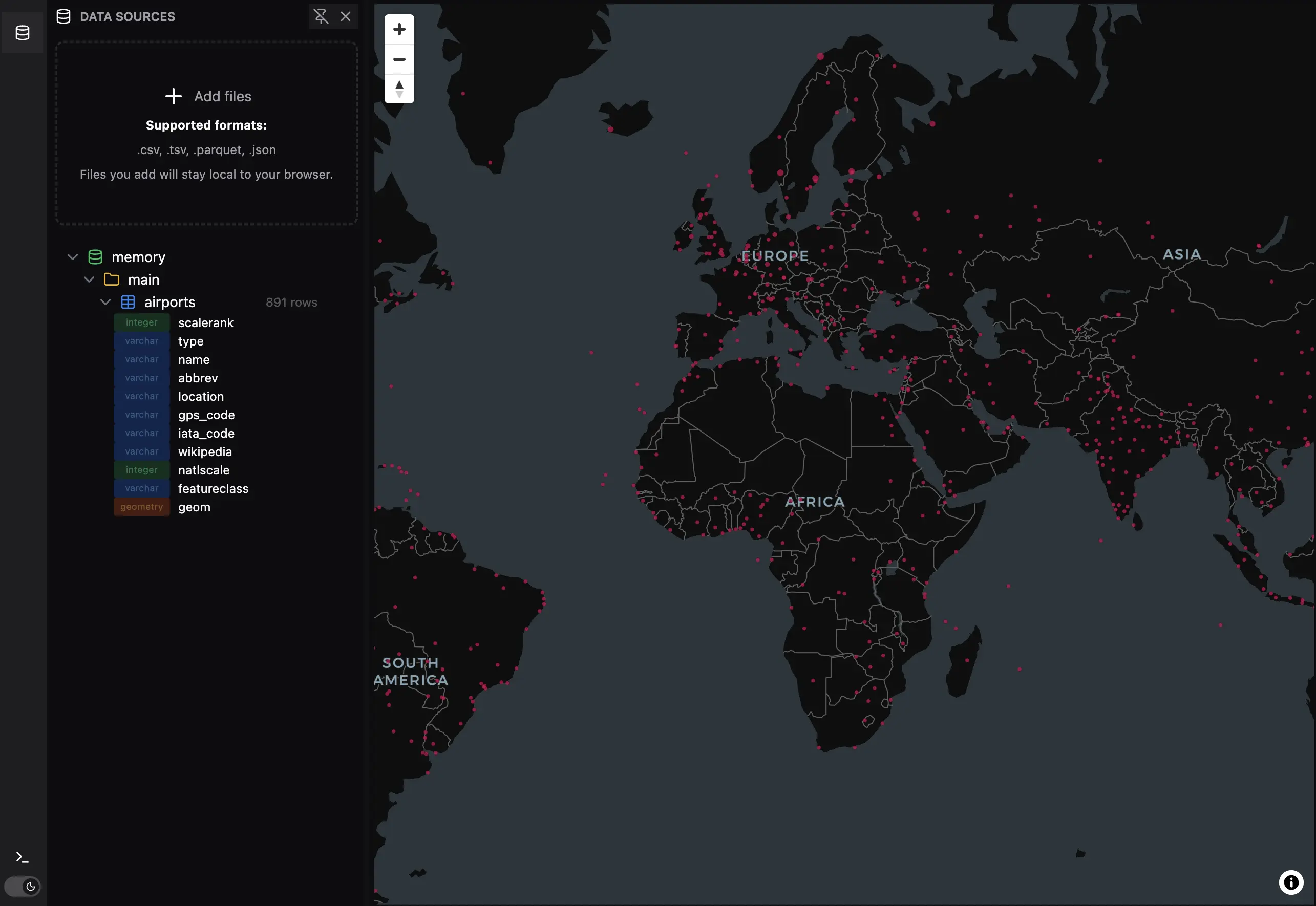
An example demonstrating deck.gl integration for geospatial data visualization through @sqlrooms/deck. It renders ~48k Overture Maps building footprints for the Zurich city centre (currently 48,451 rows), extruded in 3D and colored by height using a sequential color scale.
Features:
- Query a Hugging Face-hosted Parquet file with DuckDB WASM via
httpfs - Load airports data file into DuckDB
- Define a serializable deck.gl JSON layer spec separately from the data
- Bind multiple named DuckDB-backed datasets into one map
- Visualize airport locations on an interactive map with GeoArrow-backed point layers
- WKB geometry decoded directly to GeoArrow — no GeoJSON intermediate
- 3D extruded
GeoArrowPolygonLayerwith height-based color scale - Legend title includes units (
Height (m)) with domain matching loaded data min/max - Tooltip with building name, class, and height
- Toggle between airports and Zurich buildings in the same map UI
To create a new project from the deckgl example run this:
npx giget gh:sqlrooms/examples/deckgl my-new-app/Running Locally
pnpm install
pnpm build
pnpm dev deckgl-example
Regenerating the dataset
The Zurich buildings dataset is hosted at sqlrooms/buildings on Hugging Face. It was generated from Overture Maps using DuckDB. Run in the DuckDB CLI or any SQL client with httpfs and spatial extensions:
INSTALL httpfs; LOAD httpfs;
INSTALL spatial; LOAD spatial;

SET s3_region = 'us-west-2';

COPY (
  SELECT
    names.primary AS name,
    class,
    COALESCE(height, num_floors * 3.2, 5) AS height,
    ST_AsWKB(geometry) AS geometry
  FROM read_parquet(
    's3://overturemaps-us-west-2/release/2026-04-15.0/theme=buildings/type=building/*.zstd.parquet',
    hive_partitioning = 1
  )
  WHERE bbox.xmin BETWEEN 8.47 AND 8.59
    AND bbox.ymin BETWEEN 47.335 AND 47.415
  LIMIT 50000
) TO 'zurich_buildings.parquet';
Adjust the bounding box or the release date to target a different area or a newer Overture snapshot, then upload the resulting Parquet file to the Hugging Face dataset.
Deck.gl + Commenting & Annotation
Try live | GitHub repo | Open in StackBlitz
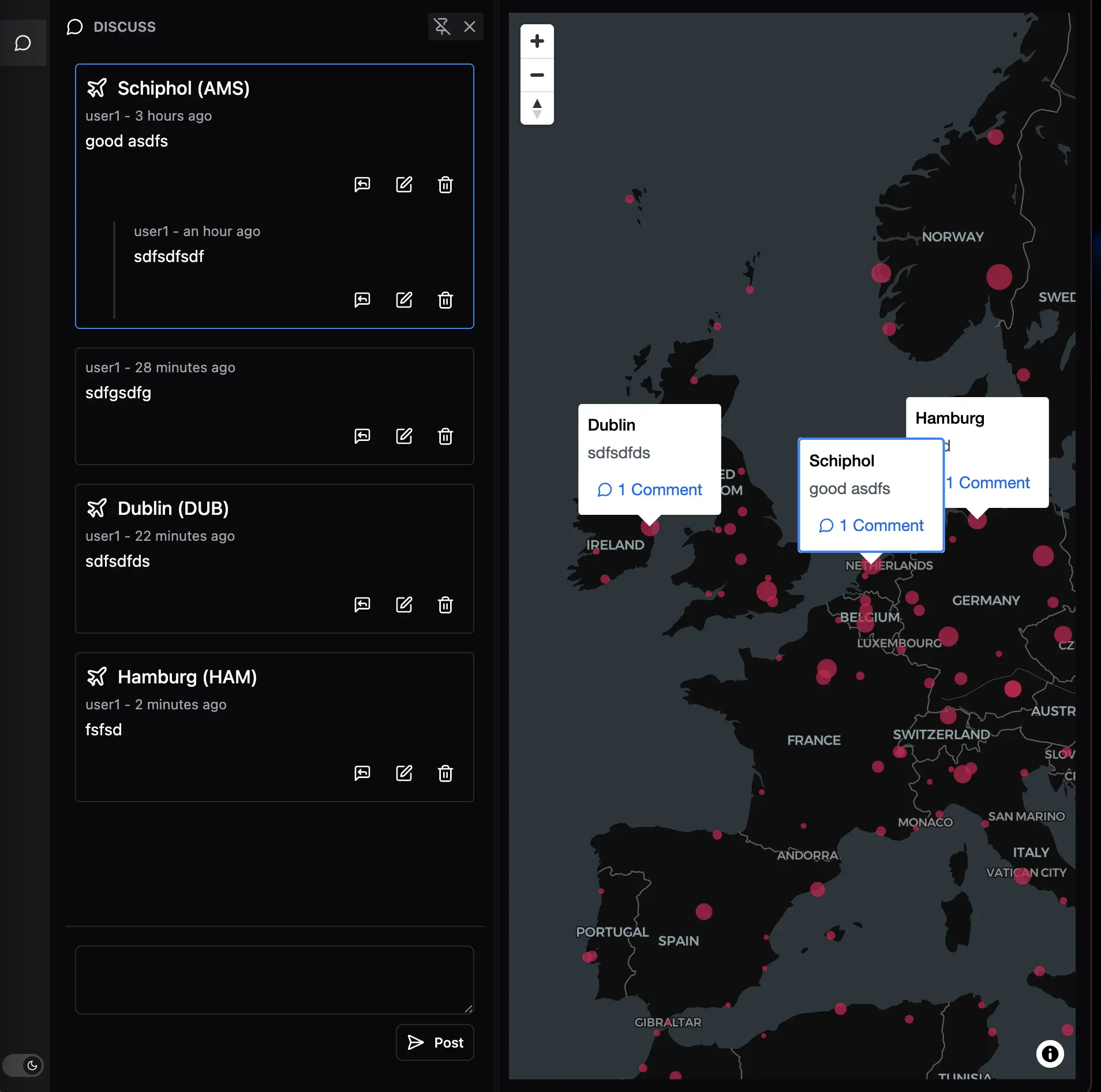
An example showcasing integration with deck.gl for geospatial data visualization combined with the @sqlrooms/discuss module for collaborative features. Features include:
- High-performance WebGL-based geospatial visualizations
- Real-time commenting and annotation system
- Contextual discussions tied to specific data points
To create a new project from the deckgl-discuss example run this:
npx giget gh:sqlrooms/examples/deckgl-discuss my-new-app/Running locally
npm install
npm run dev
Graph and embedding visualization
Cosmos – Graph Visualization
Try live | GitHub repo | Open in StackBlitz
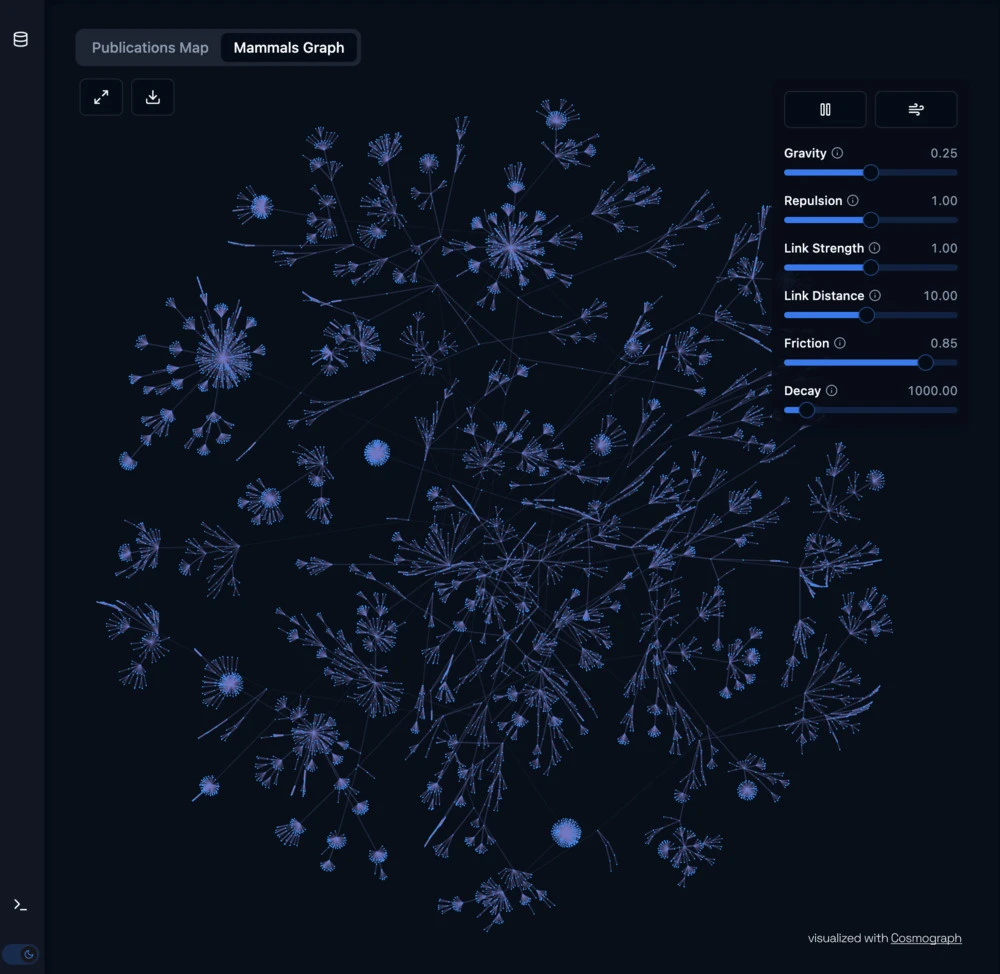
An example demonstrating integration with the Cosmos GPU-accelerated graph visualization library. Features include:
- WebGL-based force-directed layout computation
- High-performance rendering of large networks
- Real-time interaction and filtering capabilities
- Customizable visual attributes and physics parameters
- Event handling for node/edge interactions
To create a new project from the cosmos example run this:
npx giget gh:sqlrooms/examples/cosmos my-new-app/Running locally
npm install
npm dev
Cosmos – 2D Embedding Visualization
Try live | GitHub repo | Open in StackBlitz
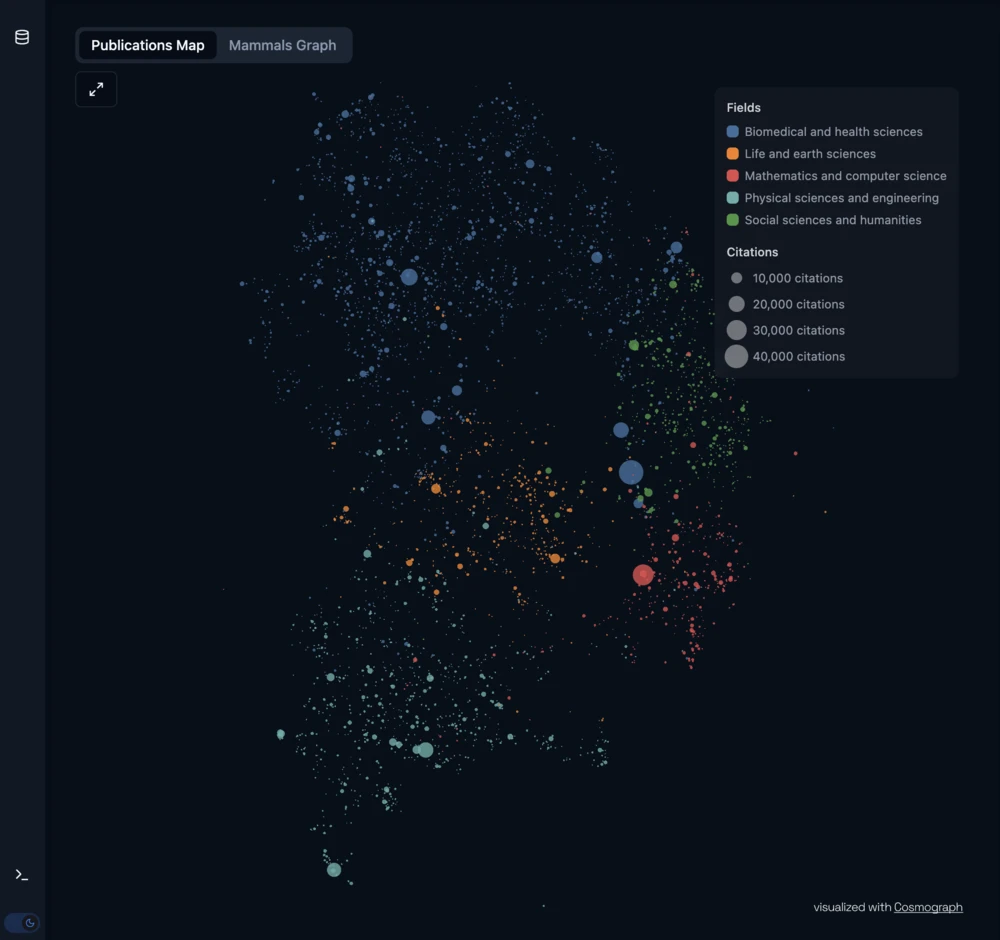
An example showcasing integration with Cosmos for visualizing high-dimensional data in 2D space. Features include:
- WebGL-powered rendering of 2D embeddings
- GPU-accelerated positioning and transitions
- Dynamic mapping of data attributes to visual properties
- Efficient handling of large-scale embedding datasets
- Interactive exploration with pan, zoom, and filtering
To create a new project from the cosmos-embedding example run this:
npx giget gh:sqlrooms/examples/cosmos-embedding my-new-app/Running locally
npm install
npm dev
Charts
Next.js + Recharts Example
Try live | GitHub repo | Open in StackBlitz
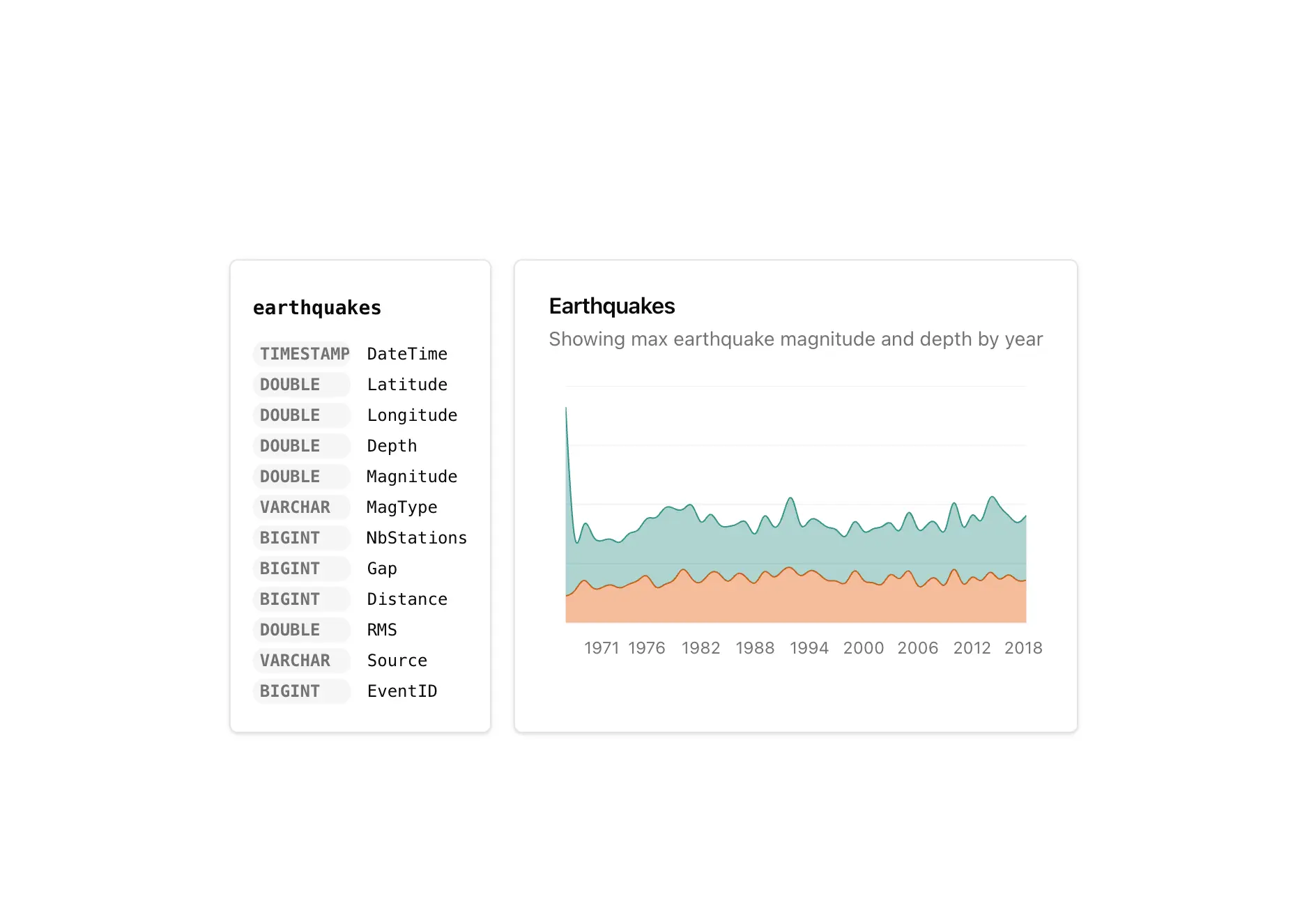
A minimalistic Next.js app example featuring:
- Recharts module for data visualization
- Tailwind 4 for styling
To create a new project from the Next.js example run this:
npx giget gh:sqlrooms/examples/nextjs my-new-app/Running locally
npm install
npm dev
Mosaic Interactive Visualization Example
Try live | GitHub repo | Open in StackBlitz
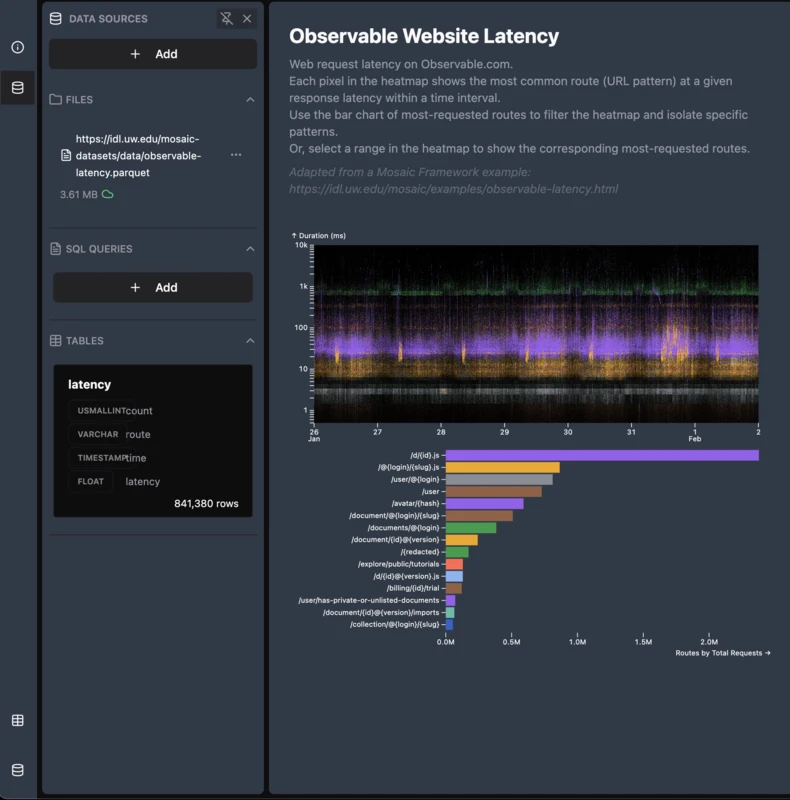
An example demonstrating integration with Mosaic, a powerful interactive visualization framework utilizing DuckDB and high-performance cross-filtering.
Features include:
- Complete project setup using Vite and TypeScript
- Comprehensive data source management and configuration
- Seamless integration with Mosaic for interactive visualizations
- Real-time cross-filtering capabilities across multiple views
- Example dashboards with common visualization types
To create a new project from the mosaic example run this:
npx giget gh:sqlrooms/examples/mosaic my-new-app/Running locally
npm install
npm dev
Other examples
MotherDuck Cloud Query Editor
Try live | GitHub repo | Open in StackBlitz
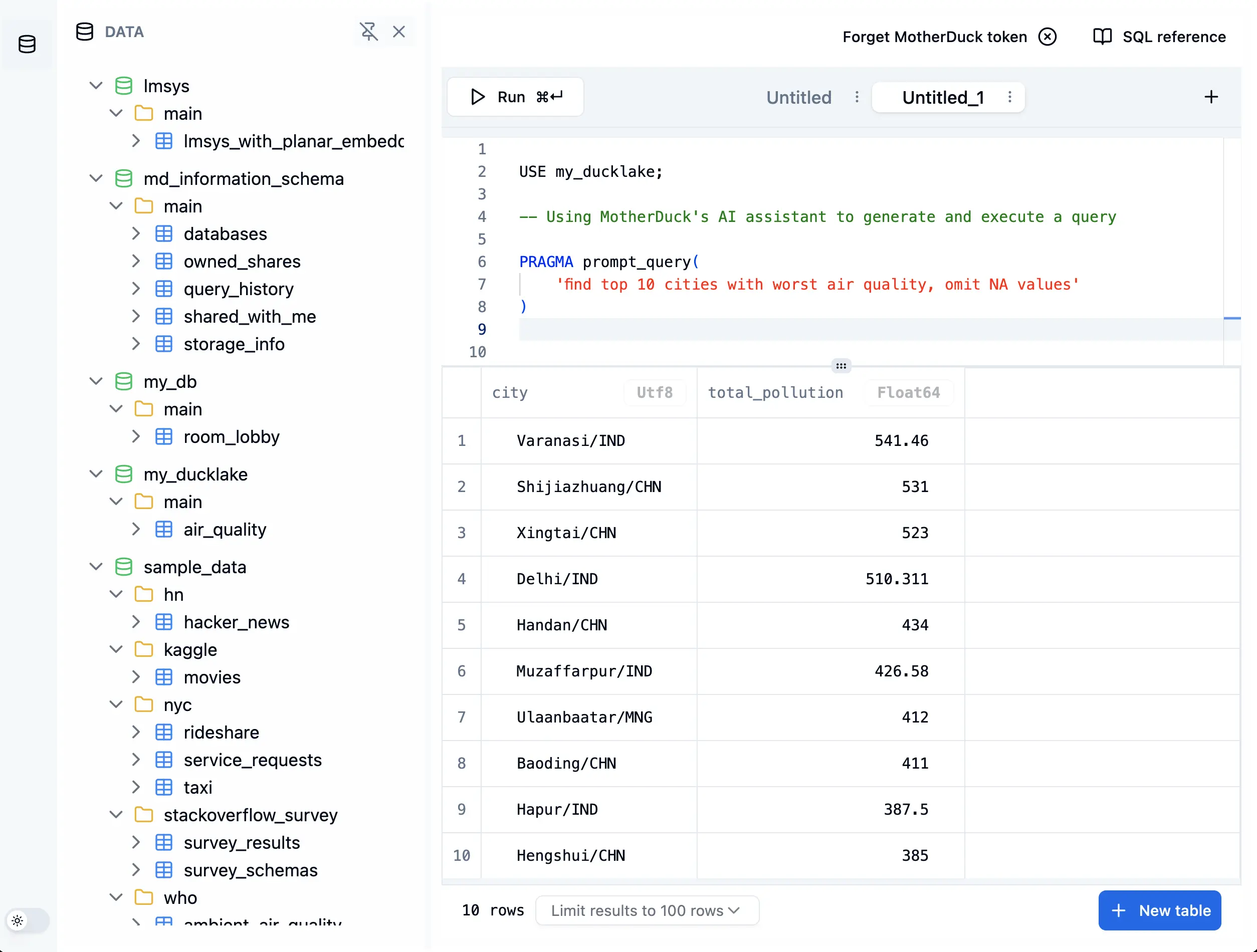
A browser-based SQL query editor that connects directly to MotherDuck's cloud-hosted DuckDB using the WASM connector. Features include:
- Example of using the
WasmMotherDuckDbConnectorfrom@sqlrooms/motherduck - Connect to MotherDuck from the browser using DuckDB WASM
- Run SQL queries against local and cloud datasets
- Attach and query DuckLake data lake and catalog
To create a new project from the query-motherduck example run this:
npx giget gh:sqlrooms/examples/query-motherduck my-new-app/AI RAG Example (Retrieval Augmented Generation)
GitHub repo | Open in StackBlitz
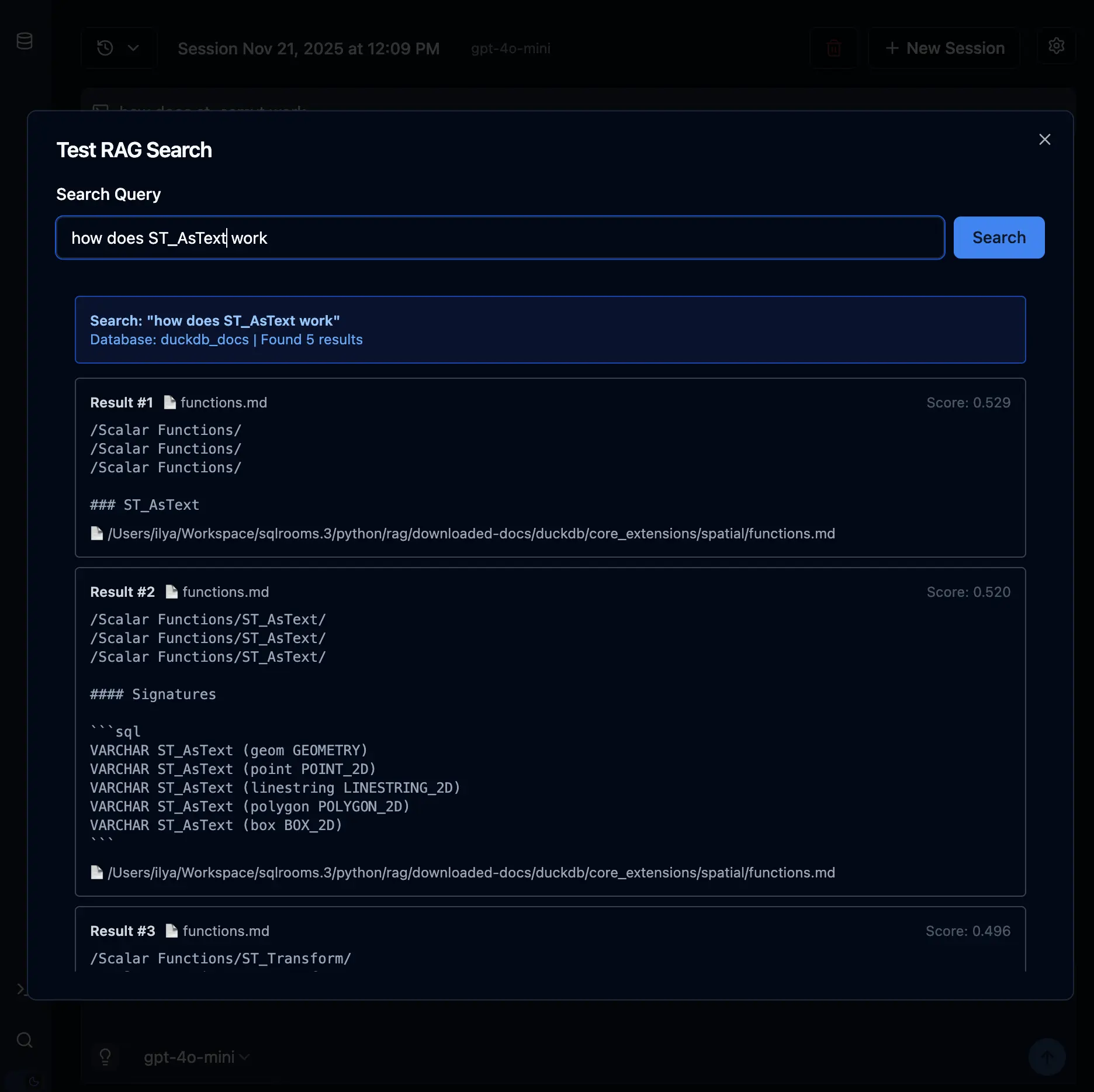
An example demonstrating Retrieval Augmented Generation (RAG) using SQLRooms and DuckDB for vector search. Features include:
- AI chat with RAG: ask questions and get answers based on relevant documentation
- Direct RAG search UI to query embedded documentation
- Vector embeddings stored in DuckDB with native vector similarity search
- Integration with OpenAI for embeddings and chat responses
To create a new project from the ai-rag example run this:
npx giget gh:sqlrooms/examples/ai-rag my-new-app/Setup
1. Generate DuckDB Documentation Embeddings
First, generate vector embeddings of the DuckDB documentation using the sqlrooms-rag package:
# Download DuckDB docs
npx giget gh:duckdb/duckdb-web/docs ./duckdb-docs

# Generate embeddings with OpenAI (requires OPENAI_API_KEY env var)
OPENAI_API_KEY=your-key uvx --from sqlrooms-rag prepare-embeddings ./duckdb-docs -o public/rag/duckdb_docs.duckdb --provider openai
This will process all markdown files and create a DuckDB database with 1536-dim OpenAI embeddings at public/rag/duckdb_docs.duckdb.
2. Set Your OpenAI API Key
The app requires an OpenAI API key for:
- Generating embeddings for your search queries (on the fly)
- Powering the AI chat responses
You'll be prompted to enter your API key when you start the app, or you can set it in the settings.
Running Locally
npm install
npm run dev
Then open the app and:
- Enter your OpenAI API key in the settings
- Click the search icon to test RAG search directly
- Use the AI chat to ask questions about DuckDB
Looking for More?
You can find even more example applications in our Examples Repository.
Also, check out our Case Studies page for real-world applications using SQLRooms.