
What's New
New features, improvements, and notable changes in each SQLRooms release. For migration steps and breaking changes, see the Upgrade Guide.
0.29.0 (upcoming)
SQLRooms 0.29 expands the project from a collection of analytics components into a more complete, composable workspace for documents, dashboards, maps, queries, and AI-assisted exploration. This is a large release with breaking changes; applications upgrading from 0.28 should review the 0.29 upgrade guide.
Documents, blocks, and artifacts
The new @sqlrooms/blocks and @sqlrooms/documents packages provide reusable primitives for rich-text documents containing live SQL, Python, chart, map, and other stateful blocks. Documents can embed charts as image assets, expose block settings, and participate in AI editing through the same command and artifact mechanisms used by the rest of SQLRooms (#666, #603, #612).
Reusable query blocks and artifact tabs make these surfaces easier to compose inside applications (#669). The former "worksheet" terminology now uses block documents. Structured artifacts and commands use block-document / block-document.*; Markdown artifacts and commands use markdown-document / markdown-document.*, with MarkdownDocumentsSlice* APIs and the markdownDocuments store key (#878, #903, #904). See the document naming migration guide for API changes and local workspace preservation.
The new Artifacts and Blocks and Block Documents developer guides explain how these layers compose and who owns persisted feature state.
@sqlrooms/artifacts now models AI session/artifact relationships as many-to-many sessionArtifactLinks, allowing one chat to work across several artifacts while keeping workspace state separate from chat associations (#844). The prerelease-only aiSessionArtifacts and artifactCreators representations were removed; see the upgrade guide.
AI SDK v6 and composable chat
The AI packages now use AI SDK v6 and ToolLoopAgent. SQLRooms tools use native AI SDK definitions, while tool rendering is registered separately so the same tool can be reused across different interfaces (#497, #800).
Chat is now exposed as a compound, composable UI API with unstyled composer and prompt-suggestion primitives (#871). This release also adds chat history, transcript search, session forking, file attachments, persisted errors, active status rendering, and opt-in timeouts (#698, #695, #716, #890, #814).
Commands, skills, and agent capabilities
Commands can declare keyboard shortcuts and run through middleware and telemetry hooks. createRoomShellSlice accepts the same command configuration, allowing the UI, application code, and agents to invoke a shared, inspectable command model. See the Commands guide for the full API.
@sqlrooms/ai adds a skills subsystem and authoring wizard (#574). The CLI builds on the same primitives with an MCP capability runtime, named capability profiles, separate chat and artifact navigation, and tools that can capture rendered charts, maps, and documents for visual inspection (#845, #859, #891, #889).
Mosaic dashboards and data exploration
@sqlrooms/mosaic now includes chart builders, composable dashboards, AI dashboard tools, and a table profiler for building Quake-style cross-filtered data inspectors (#473, #539, #527). Data table explorer blocks bring per-column summaries and paged Arrow rows into dashboards (#668).
The profiler API pairs useMosaicProfiler with MosaicProfilerHeader, MosaicProfilerRows, and MosaicProfilerStatusBar, keeping rendering React-driven while following Mosaic coordinator and cross-filter lifecycle.
Charts gain box plots, configurable count metrics, multiple line-series and aggregations, better data-limit reporting, and row-count line charts (#588, #591, #787, #900).
Maps and spatial visualization
Deck.gl maps gain GeoArrow layers, overlaid integration, split views, richer appearance controls, reusable AI map tools, and direct document blocks (#549, #661, #701, #841). New maps use keyless OpenFreeMap vector basemaps by default, while Mapbox remains available when a token is configured (#897).
Kepler map selection and tab ownership now compose with artifacts instead of maintaining a separate host-level current-map state (#595).
Layout and workspace persistence
The layout packages now use n-ary docking and grid primitives backed by react-resizable-panels, including per-panel sizing constraints and persisted resize state (#552, #575, #594, #631). The configuration shape and several public types changed; consult the upgrade guide before loading persisted 0.28 layouts.
DuckDB and query results
The SQLRooms Python packages now target DuckDB 1.5.3. The 0.29.0 JavaScript runtimes use @duckdb/node-api 1.4.4-r.3 and @duckdb/duckdb-wasm 1.32.0. DuckDB integrations also have more consistent qualified-table and multi-schema handling (#659, #734). @sqlrooms/duckdb-node converts results through DuckDB's Arrow IPC support, preserving declared Arrow types for values such as BIGINT, DATE, DECIMAL, and BLOB (#887). This changes runtime value types and requires the DuckDB nanoarrow extension; see the migration note.
UI notifications
Toaster now renders Sonner with SQLRooms theme-aware styling, and @sqlrooms/ui exports Sonner's toast function for application notifications (#397).
0.28.0
- Tailwind v4: SQLRooms now uses Tailwind v4, including the new CSS-first setup that simplifies project styling and configuration (#324). For Tailwind migration details, jump to the upgrade guide.
- Cosmos.gl upgrade: updates the Cosmos.gl integration to include the latest improvements in this powerful graph visualization library (#379)
- Command system implementation: Command Palette UI added to shells (toggle with
Ctrl/Cmd+K, sidebar button, searchable/grouped commands, per-command shortcuts, JSON input editor, and programmatic open/close controls). A global command system and tooling is also introduced to register, list, validate, and execute commands, with adapters for CLI/MCP and AI tool integrations, plus DB and editor command sets (#382)
0.27.0
@sqlrooms/data-table: RowSelection API
DataTablePaginated now includes a first-class row selection API with checkbox support.
enableRowSelection: enables the checkbox columnrowSelection: controlled row selection stateonRowSelectionChange: callback fired when selection changes
Checkbox clicks are handled independently from row click handlers, so selecting via checkbox does not double-toggle rows.
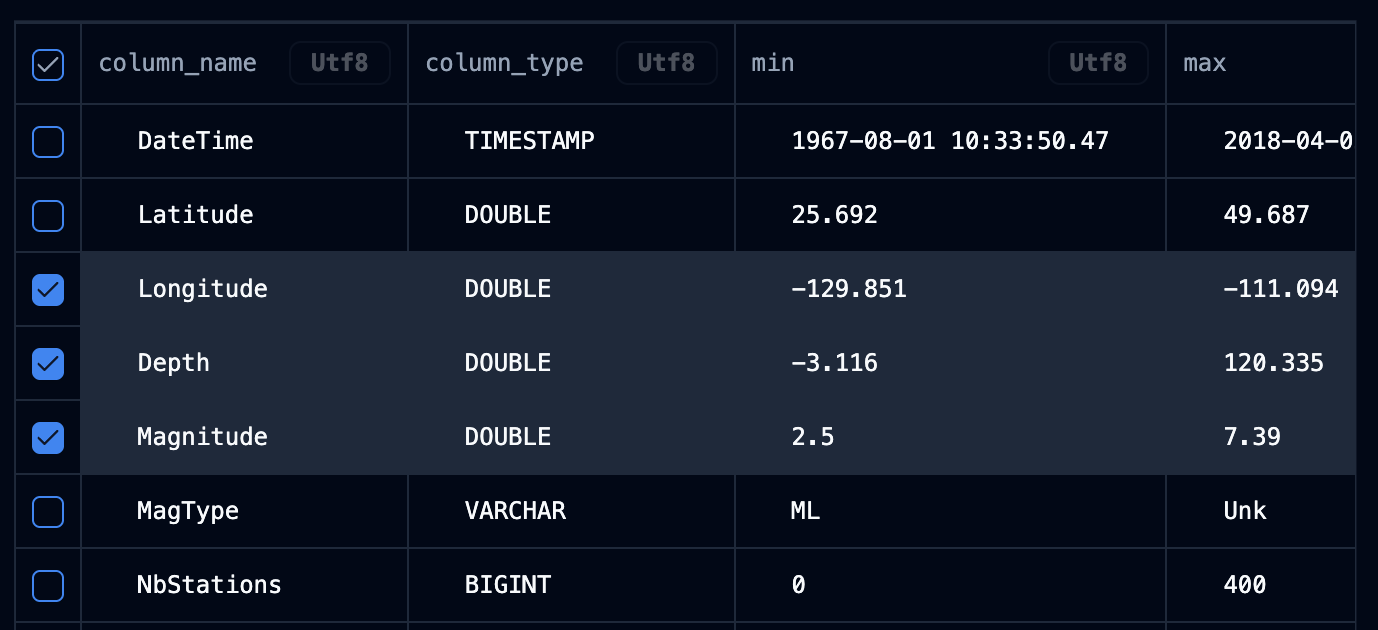
Example:
import {RowSelectionState} from '@sqlrooms/data-table';
import {useState} from 'react';

const [rowSelection, setRowSelection] = useState<RowSelectionState>({});

<DataTablePaginated
  {...arrowTableData}
  enableRowSelection={true}
  rowSelection={rowSelection}
  onRowSelectionChange={setRowSelection}
  onRowClick={({row}) => {
    setRowSelection((prev) => ({
      ...prev,
      [row.index]: !prev[row.index],
    }));
  }}
/>;@sqlrooms/room-store: bound useRoomStore API + useRoomStoreApi
useRoomStore now exposes imperative Zustand store methods (getState, setState, subscribe, getInitialState) in addition to selector usage. This makes event handlers and async callbacks more ergonomic while preserving existing reactive selector patterns.
For context-based access, use the new useRoomStoreApi() hook to read/write state imperatively from components wrapped in RoomStateProvider.
Introducing MosaicSlice
A new centralized state management system for Mosaic integration. The MosaicSlice provides a unified way to manage Mosaic connections, coordinate cross-filtering between visualizations, and create reactive data queries that automatically update based on user selections.
Key features:
- Automatic connection management with DuckDB
- Named selections for cross-filtering between multiple visualizations
useMosaicClienthook for custom visualization clients- Support for custom visualizations that respond to Mosaic selections
See the Mosaic API documentation for details and check out the DeckGL + Mosaic example for a complete implementation.
Additional 0.27.0 highlights
- AI: parallel sessions, persisted open session tabs, provider options, prompt suggestion improvements, inline API-key prompt in chat, and output copy-to-clipboard.
- Vega/Charts: actions toolbar, chart sizing fixes, improved SQL error display, hover-only chart actions, and responsive chart labels.
- Kepler: configurable injector with custom recipes, legend/timeline fixes, and stability improvements across integration edge cases.
- Room/store + persistence:
storeKeysupport increateRoomStoreandpersistSliceConfigshelper improvements. - SQL/editor + query UX: improved explain output, query panel/tab mapping fixes, and query cancellation support in create-table flows.
0.26.1-rc.7 (2025-12-05)
Replaced barrel exports across all modules
Barrel exports (i.e., export * from ...) were replaced across all modules to improve tree-shaking, reduce bundle size, and avoid import path ambiguities. Direct/explicit exports now ensure only the required symbols are included in consumers' builds, making dependencies clearer and preventing accidental re-exports or circular dependencies.
Additionally, "sideEffects": false was added to all packages. This signals to bundlers that the modules are free of side effects, enabling better tree-shaking and further reducing the final bundle size.
TabStrip component in @sqlrooms/ui
A composable tab strip with drag-to-reorder, inline renaming, and a search dropdown for reopening closed tabs. Supports custom tab menus and flexible layouts via subcomponents (TabStrip.Tabs, TabStrip.SearchDropdown, TabStrip.NewButton).
New: the search dropdown can optionally sort items by recent usage via sortSearchItems="recent" and an optional getTabLastOpenedAt accessor.
Kepler integration
Added Kepler.gl integration module for geospatial data visualization.
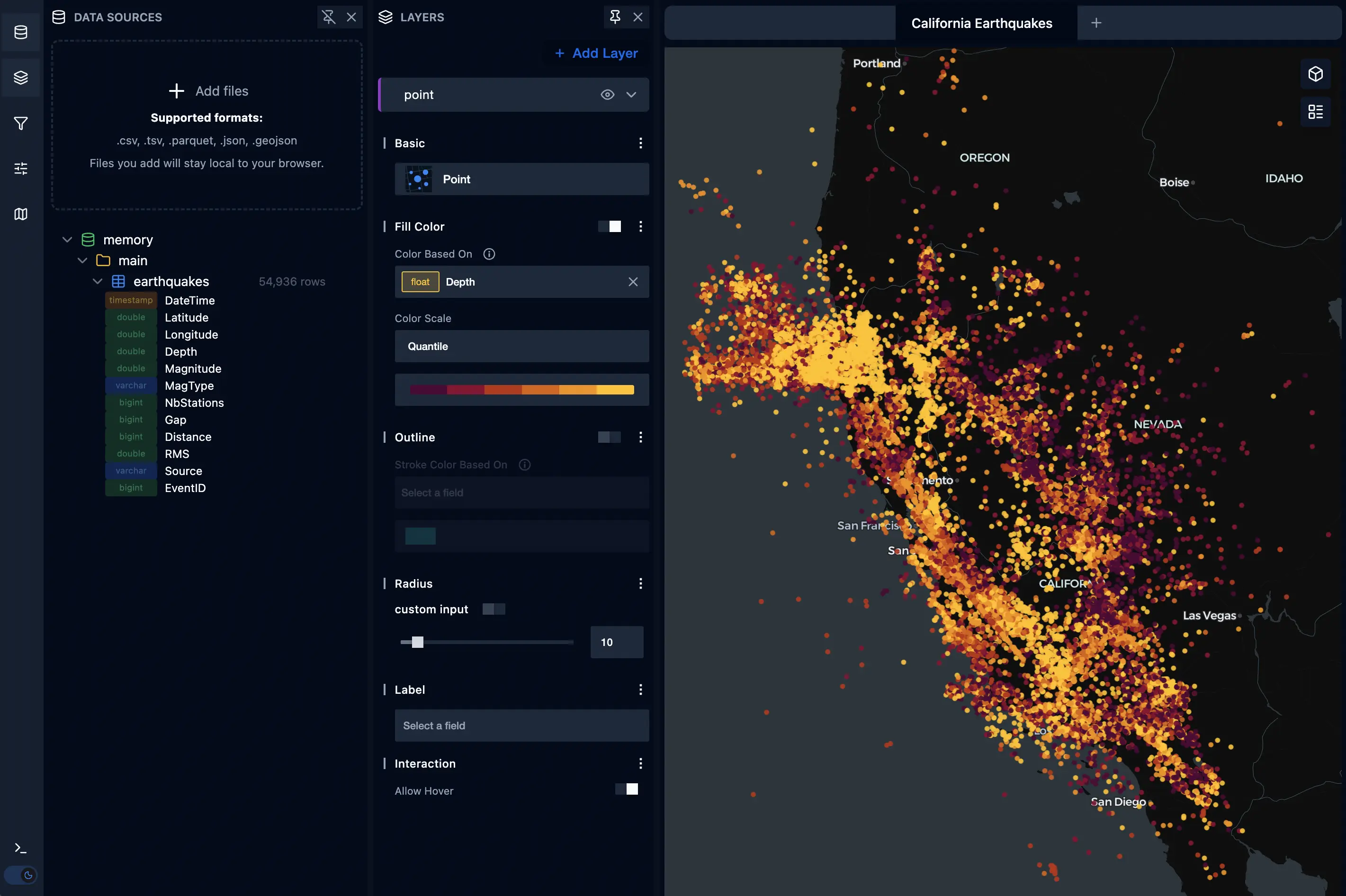
Check the Kepler example
AI RAG module
New @sqlrooms/ai-rag module for Retrieval Augmented Generation. Query your documentation using vector similarity search powered by DuckDB's native vector capabilities.
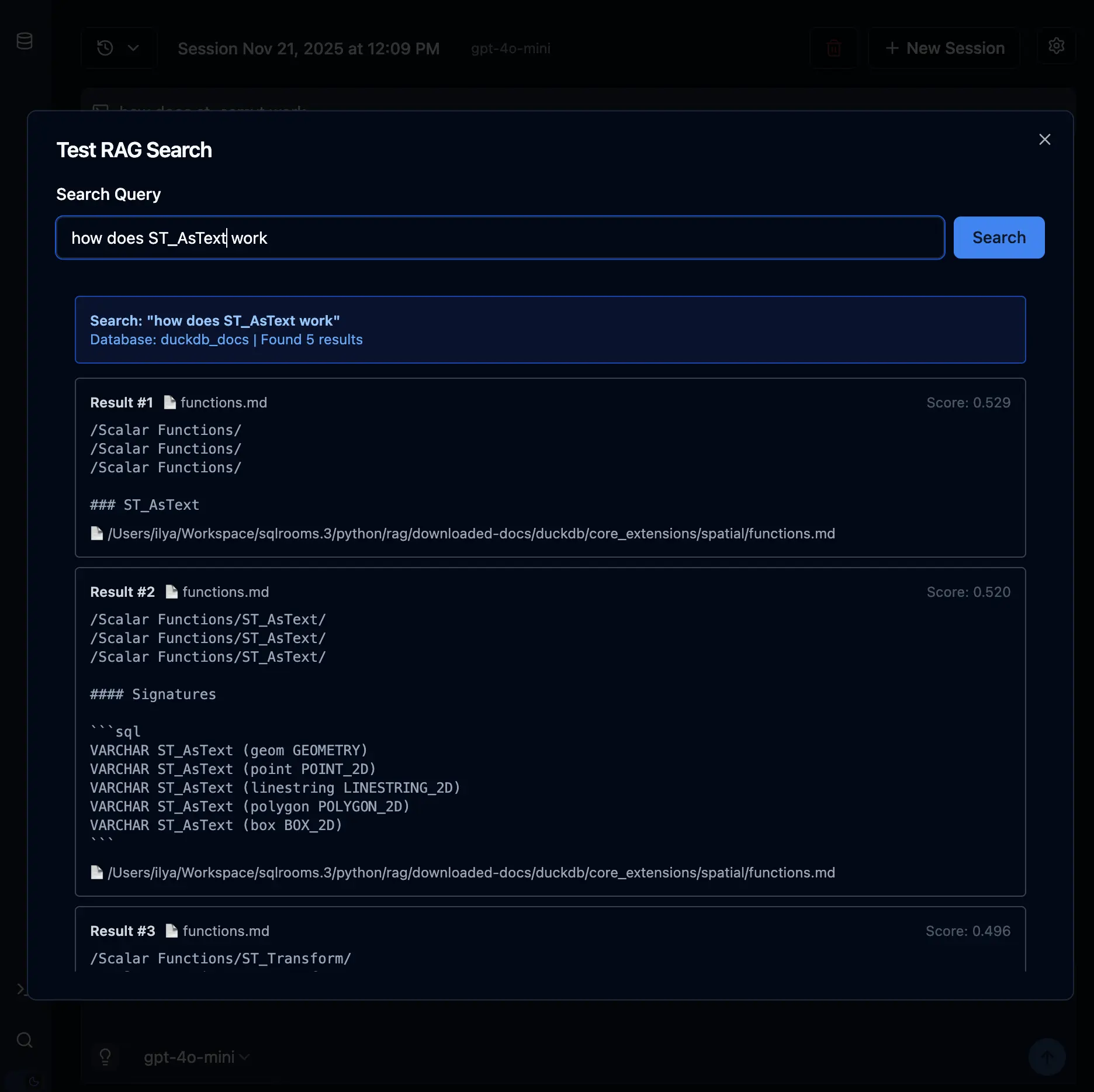
Check the AI RAG example
0.26.0 (2025-11-17)
AI SDK v5
We migrated to Vercel AI SDK v5. Now supporting agents: check the ai-agent example